
Planning Your Live Streaming Tent Rental Event
When you decide to host a live stream from an outdoor gathering in Jefferson, Jackson County, the first step is to secure a reliable tent rental that will protect your gear and guests while providing a clear space for cameras and audio equipment. Located just ten minutes from our Pendergrass warehouse, Jefferson offers convenient access for delivery and setup, with many backyards off Old Pendergrass Road, the Traditions of Braselton area, and neighborhoods surrounding Jefferson High School providing ideal venues. A well‑chosen tent not only shields equipment from sun and unexpected rain but also creates a defined area where you can control lighting and sound for a professional broadcast.
Begin by outlining the goals of your stream: the number of remote viewers, the type of content (ceremony, interview, performance), and any on‑site guests who will watch the feed on a screen. This clarity helps determine the tent size, power requirements, and placement of streaming hardware. Keep in mind that the tent must accommodate both your audience and the technical crew, leaving enough room for tripods, mixers, and monitor stations without creating tripping hazards.
Choosing the Right Tent Size for Streaming and Guest Count
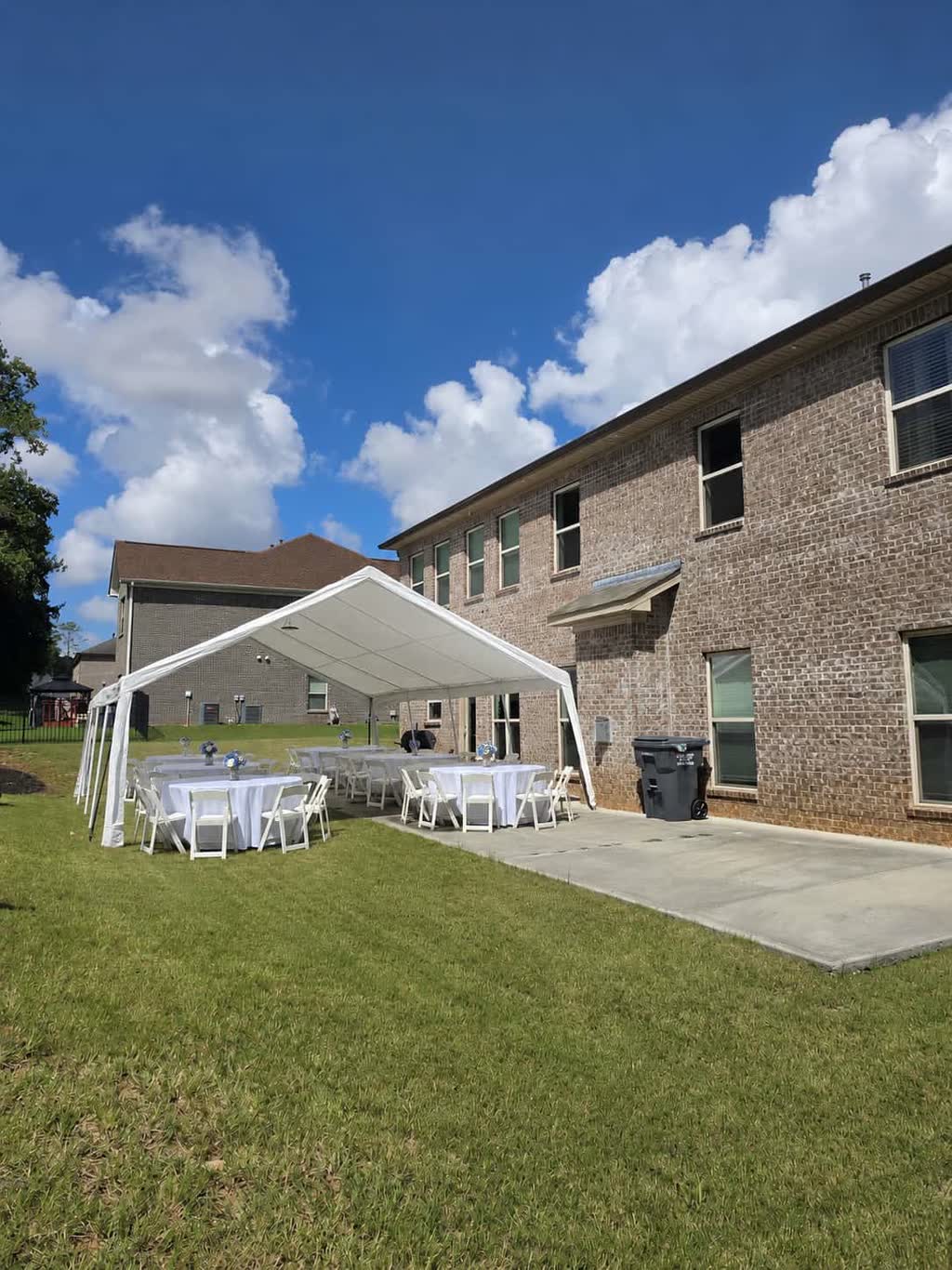
Guest‑count math is essential when selecting a tent that will serve both as a viewing area and a production hub. For example, a 20×20 foot tent comfortably seats 32 to 40 guests in a banquet layout, leaving roughly 80 square feet of open floor space for a camera tripod, audio mixer, and a small monitor table. If you expect 50 to 60 on‑site guests, a 20×30 foot tent provides 48 to 60 seated spots and still leaves a 10‑foot wide strip along one side for equipment racks and a backup power generator. Always add a buffer of at least five feet around the perimeter of your streaming zone to allow crew movement and cable runs.
In Jefferson’s typical residential lots, yard dimensions often range from 30 to 50 feet in width, making a 20×30 or 20×40 foot tent feasible without encroaching on property lines. Measure your available space, noting any trees, sprinkler heads, or slope that could affect anchor placement. A level surface is ideal; if the grass is slightly uneven, our team can use weighted sandbags or ground stakes to secure the tent firmly, ensuring stability for both guests and sensitive streaming equipment.
Power and Connectivity Solutions for a Reliable Stream
Streaming gear demands consistent electricity and a stable internet connection, both of which must be planned well before the event date. Identify the nearest grounded exterior outlet to your chosen tent site; if the distance exceeds 25 feet, a heavy‑duty extension cord rated for outdoor use is required. For events farther from the house, a quiet gasoline or inverter generator can supply clean power to cameras, lights, and audio mixers, but it must be positioned at least ten feet away from the tent to keep exhaust fumes and noise out of the broadcast area.
Internet options in Jefferson include a mobile hotspot with a strong 4G/5G signal, a dedicated LTE router, or, if available, a temporary wired line from the residence. Test the upload speed at the exact tent location at least two days prior; aim for a minimum of 10 Mbps upload for 1080p streaming at 30 fps. Keep a backup connection, such as a second hotspot from a different carrier, to avoid interruption if the primary signal falters during the event.
Audio, Video, and Lighting Equipment Recommendations
Select cameras that offer clean HDMI output and perform well in varying light conditions; a pair of mirrorless or camcorder units with wide‑angle lenses can capture both the stage and audience. Pair each camera with a lapel or shotgun microphone for clear audio, and run the feeds into a portable video mixer that allows switching, lower‑third graphics, and audio leveling. Monitor the mix on a lightweight field monitor placed at eye level for the operator, ensuring you can spot any focus or exposure issues instantly.
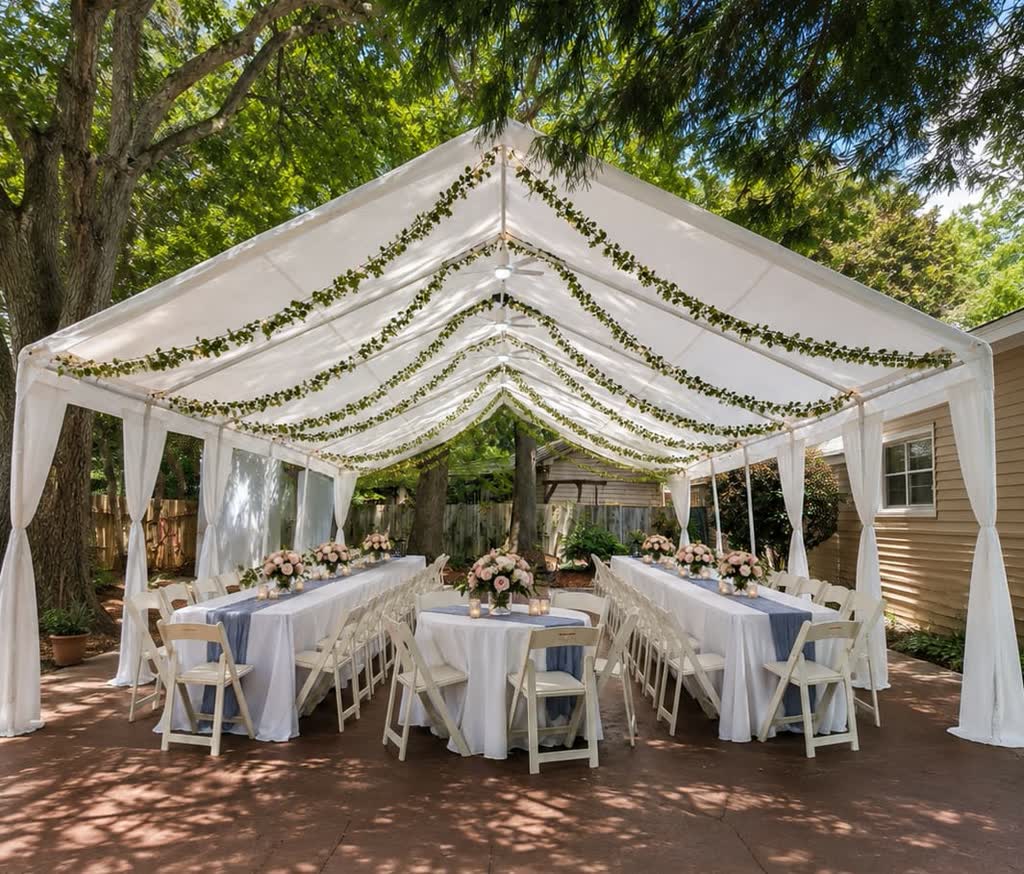
Lighting should enhance the subject without overpowering the natural ambiance. For daytime events, avoid LED ceiling washes that appear flat at noon; instead, use diffused paper lanterns or soft‑box lights positioned at a 45‑degree angle to the subject, providing gentle fill that looks natural on camera. If the event runs into the evening, low‑intensity bistro strings overhead add warmth without creating harsh spikes, and a subtle uplighting wash behind the backdrop can separate the subject from the tent walls while keeping the overall look elegant.
Setup Timeline and Day‑Of Coordination
A clear timeline reduces stress and ensures that every component is tested before the stream begins. Begin the day before delivery by confirming the exact address, gate access, and any HOA or municipal restrictions with the property owner. Our team will arrive early on the event date to offload the tent, anchors, and sidewalls, typically completing the frame erection within two hours for a 20×30 foot unit. Allow an additional hour for laying out flooring, positioning tables and chairs, and running power cords to the generator or outlet.
Once the tent is secured, the streaming crew can start placing equipment: cameras on tripods at the front and rear, audio mixer near the power source, and the monitor table in a shaded spot. Conduct a full signal test at least 90 minutes before the scheduled start, checking video clarity, audio levels, and internet upload stability. Use this window to adjust lighting angles, tighten cable connections, and run a brief private test stream to verify that remote viewers can see and hear the feed without lag.
After the test, communicate the final go‑no‑go decision to the on‑site host and any remote participants. Keep a spare battery pack, extra Ethernet cable, and a second hotspot on hand for quick swaps if needed. When the event concludes, break down the gear first, then collapse the tent and load it onto our truck for return to the Pendergrass warehouse.
Rain Plan, Sidewalls, and Weather Contingencies
Even with a clear forecast, outdoor events in North Georgia can experience sudden showers or gusty winds, making a rain plan indispensable. Opt for a tent package that includes sidewalls; two closed sides (typically the windward and rear walls) provide protection from rain while still allowing airflow and visibility for cameras. Sidewalls also help maintain a comfortable temperature for guests and equipment during cooler evenings, reducing condensation on lenses and monitors.
Our team will stake the tent securely into the grass using heavy‑duty straps and ground spikes, ensuring the structure can withstand winds up to 20 mph. If gusts exceed that threshold, we will recommend postponing the setup or adding additional weight bags. Keep a roll‑up clear tarp handy to drape over the camera area in case of drizzle, and have absorbent towels ready to wipe any moisture from lenses or monitors immediately. By preparing for these variables, you protect both the streaming quality and the guest experience.
Final Checklist and Coordination with DecoEvent ATL
Before the event day, run through a concise checklist to confirm every detail has been addressed. Verify that the exact address (street, city, state, ZIP) matches our service‑area list and that the ZIP code is confirmed for Jefferson, Jackson County. Confirm the event date, start time, guest count, and the specific tent size and sidewall configuration you have selected. Ensure that a grounded outlet or generator placement has been agreed upon, and that the internet hotspot has been tested at the tent location.
Reach out to us via WhatsApp at (678) 815-8774 or email at Info@decoeventatl.com to share the final details and receive a written confirmation. Our team will keep you updated on the estimated arrival window, any required site preparations, and the point of contact on the day of the event. With all logistics locked in, you can focus on delivering a compelling live stream that captures the spirit of your celebration while guests enjoy a comfortable, protected environment.
Frequently asked questions
What tent size works best for a live stream with 40 on‑site guests and equipment?
A 20×30 foot tent provides seating for 48‑60 guests and leaves ample floor space for cameras, mixers, and a generator, making it ideal for a 40‑person event with streaming gear.
How far in advance should I test the internet connection at the tent site?
Test the upload speed at the exact tent location at least two days before the event, aiming for a minimum of 10 Mbps upload and having a backup hotspot ready.
Do I need a generator for power if my house outlet is far from the tent?
If the grounded exterior outlet is more than 25 feet away, use an outdoor‑rated extension cord; otherwise a quiet inverter generator placed at least ten feet from the tent supplies clean power.
Can sidewalls be used without blocking the camera view?
Yes, installing sidewalls on the windward and rear sides protects gear and guests while keeping the front and sides open for camera lines of sight.
What is the recommended lighting for a daytime live stream to avoid flat looks?
Use diffused paper lanterns or soft‑box lights at a 45‑degree angle to the subject for soft, natural‑looking fill that works well on camera.
Who should I contact to confirm the exact address and finalize the tent rental in Jefferson?
Reach out via WhatsApp at (678) 815-8774 or email at Info@decoeventatl.com to verify the address, confirm details, and lock in your booking.